Mailbox
Send and receive emails efficiently without code.
Requirements
- You have added the domain to your account, and the DNS records have been verified.
- You have added a domain email address, such as
[email protected].
How to use
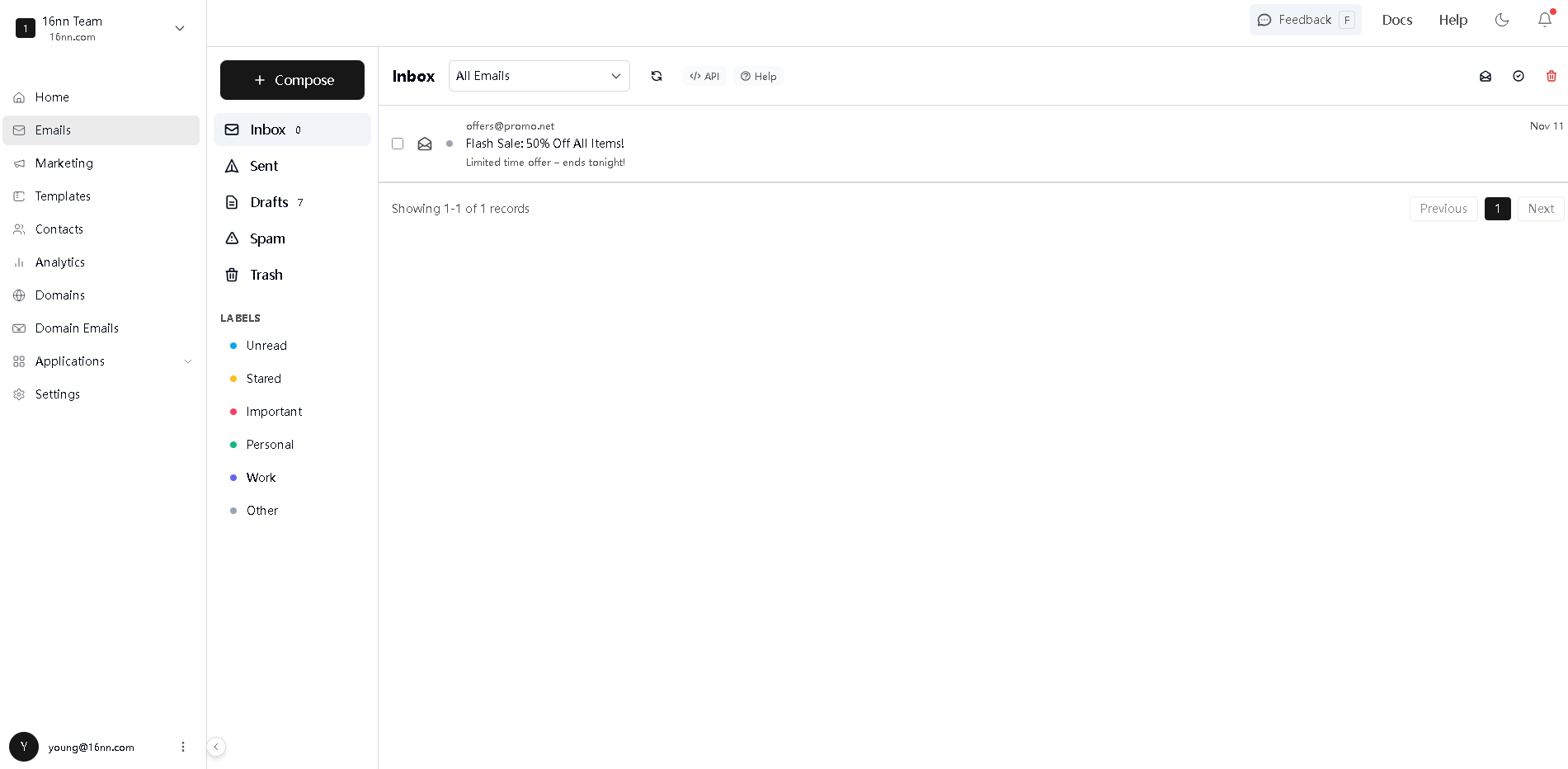
Go to Emails > Mailbox from the sidebar, and you can send or receive emails like gmail:
Send an email
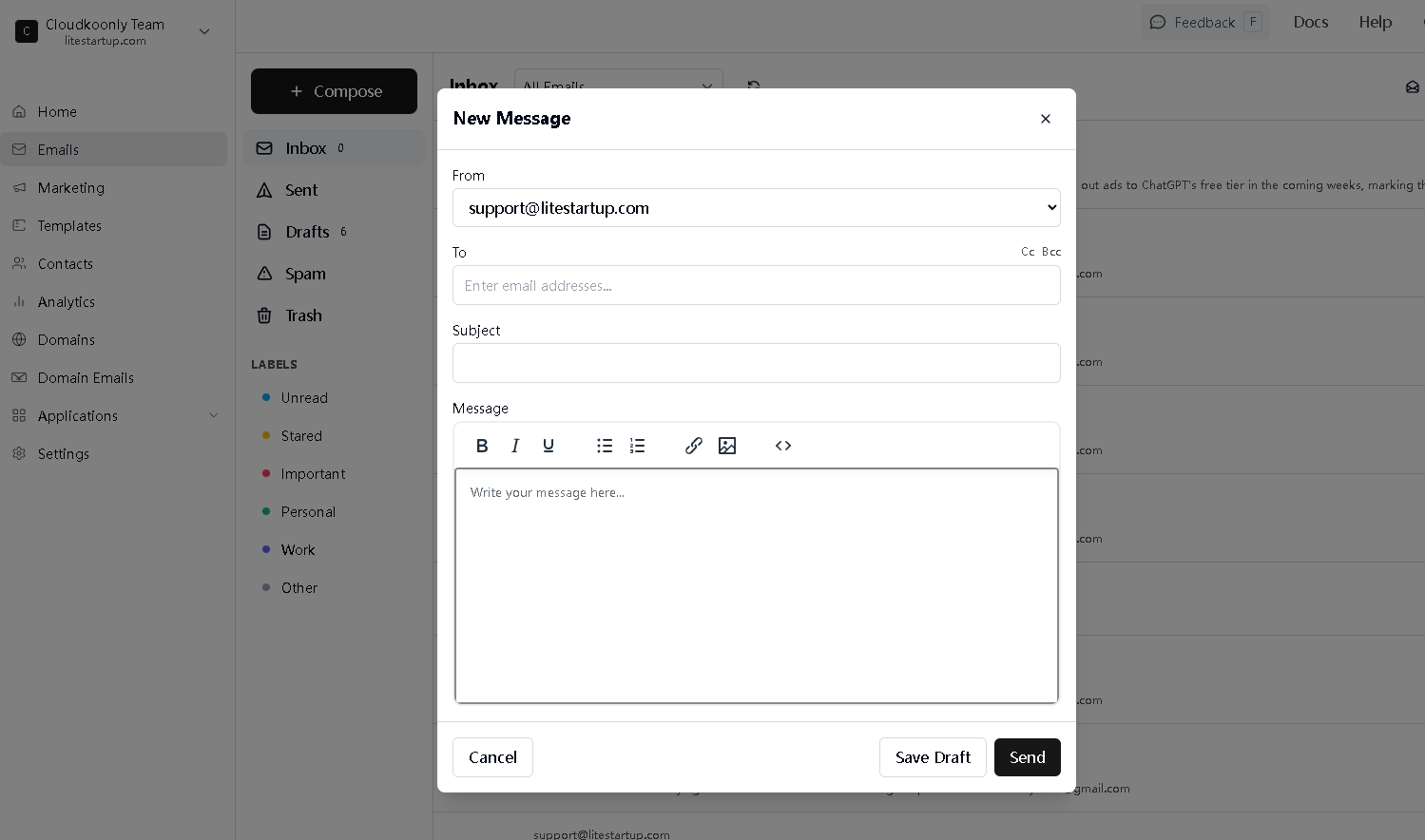
Click the + Compose button, and you can send an email, and then you can check the email status in Sent page:
Receive an email
Click the inbox tab, and you can view received emails.
Reply an email
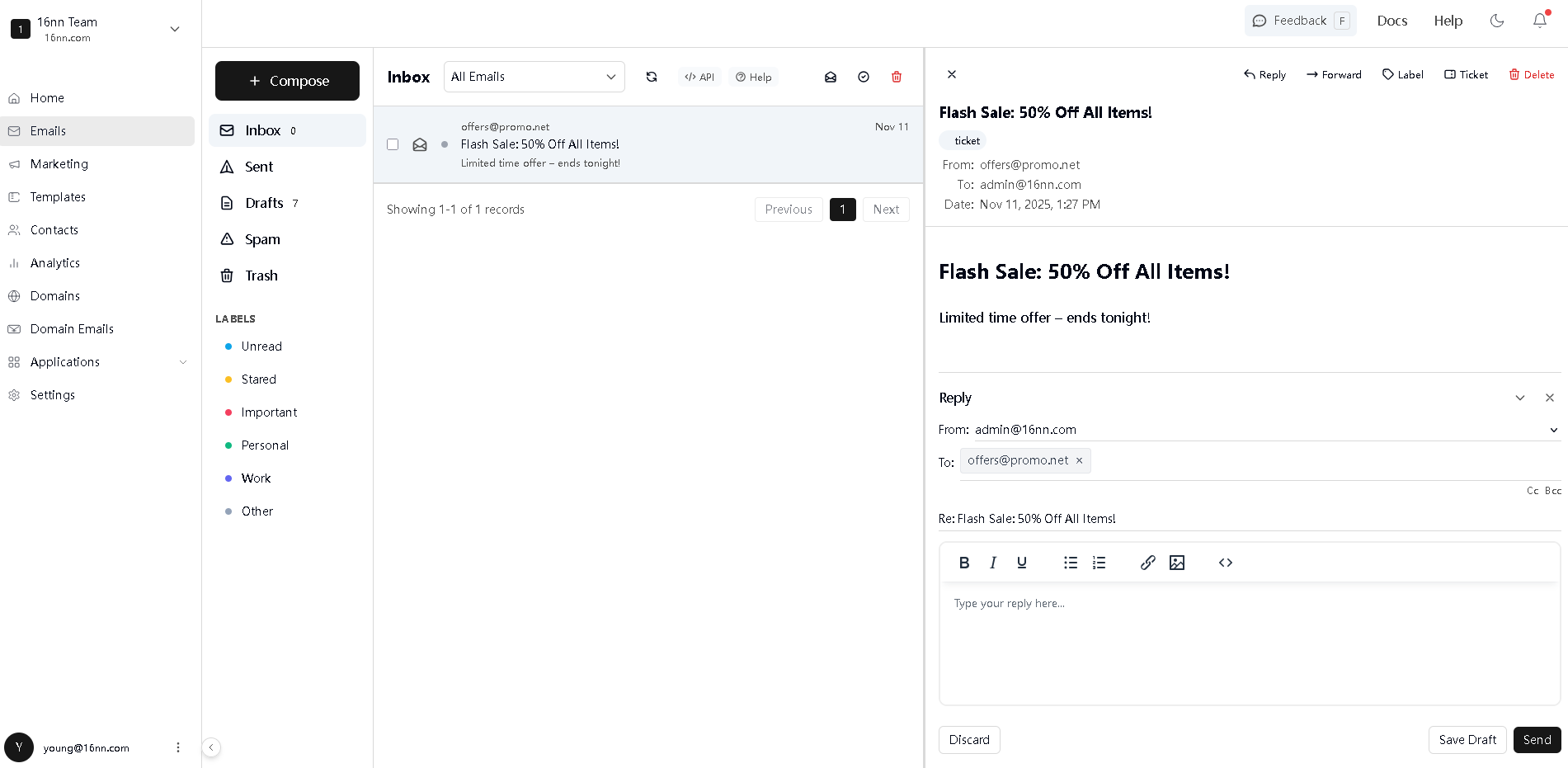
Click the reply button, and you can reply to the email.
Last updated: March 11, 2026